Convert
Conversion Blender object/data type is set at panel top with Target enum.
Preset  menu in panel header will save all panel settings into a preset.
Mesh
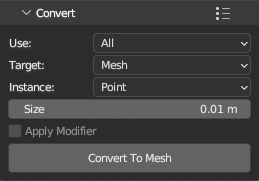
Convert points to native Blender Mesh datablock type. Converted points are then part of blend file and can be used like any other native Blender data. Colors, normals and scalars are always preserved. Conversion results are renderable with Cycles, Eevee and other render engines.
Added new Mesh object will have Geometry Nodes modifier that will instance selected primitive (Point, Equilateral Triangle, Quad, Tetrahedron, Cube, Ico Sphere and Custom Mesh) on mesh vertices. Simple material using color attribute from point colors will ba added to mesh.
Instance size and instance type can be later changed on Geometry Nodes modifier. To use scalar field as colors, edit material to use different attribute.
Volume
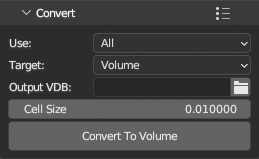
Convert points to VDB file. Set path where VDB will be saved. Operator will then add volume using exported file to scene.
Pointcloud
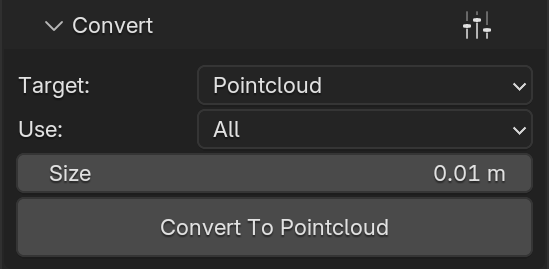
Convert to native Blender Pointcloud object.
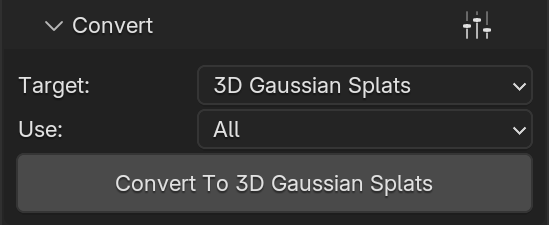
3D Gaussian Splats
Convert to native 3D Gaussian Splats type of native Pointcloud object.
Points need to contain f_dc_0, f_dc_1, f_dc_2, opacity, scale_0, scale_1, scale_2, rot_0, rot_1, rot_2, rot_3 scalars and corrent number of f_rest_N scalars for any level of spherical harmonics between 0 and 4 (inclusive) to be convertible.
Important
3D Gaussian Splats type of Point Cloud object is available only in Blender 5.3 alpha